What's new in RunsOn v3
A short tour of RunsOn v3: scaling boosts, the new Flex control plane, simpler sizing, safer ingress, faster cleanup, better metrics, and AWS cost budgets.
 Cyril Rohr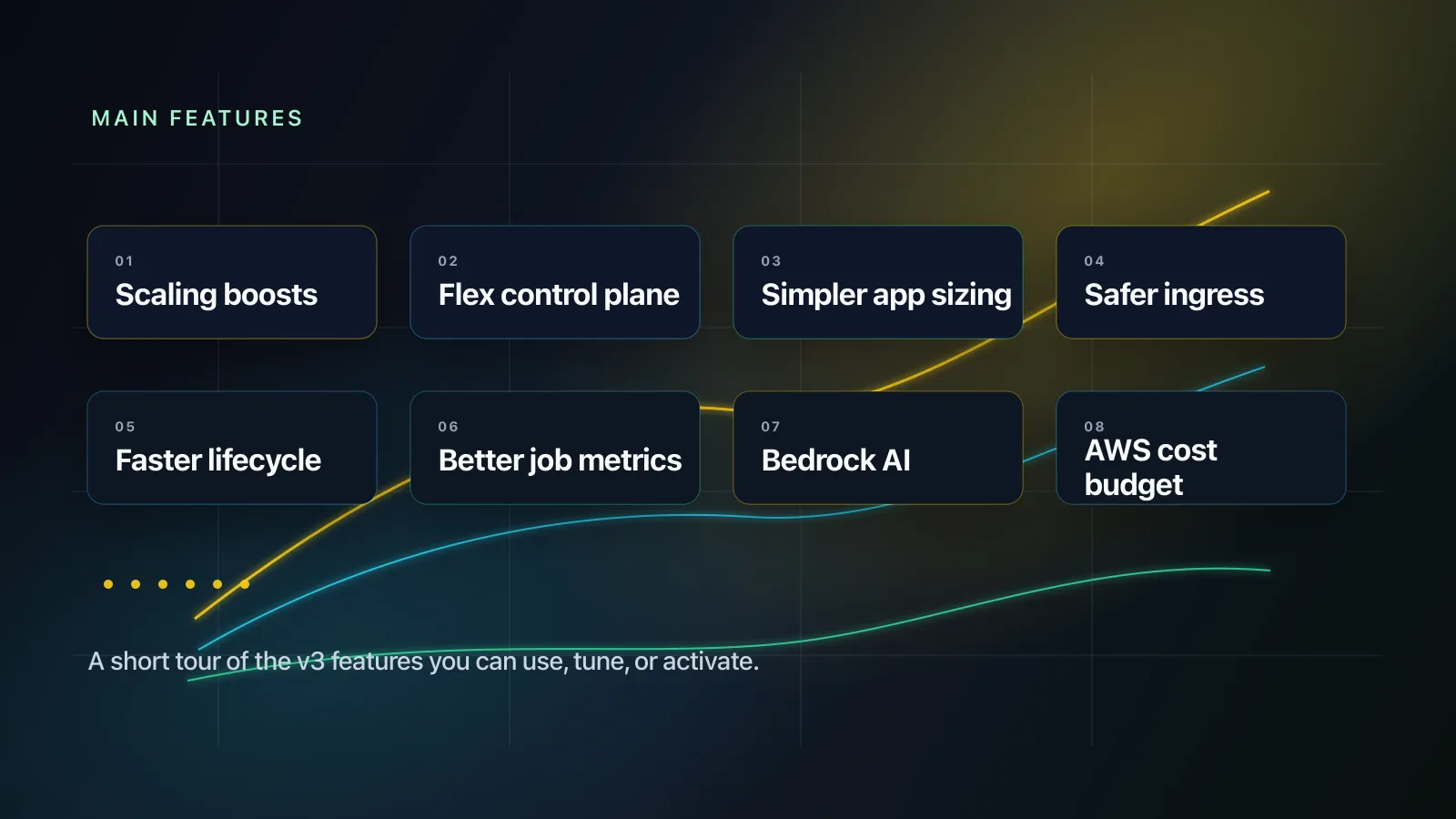
RunsOn v3 is a breaking release, but it is not only a migration release.
The big architectural change is the move away from App Runner to the new Flex control plane on ECS/Fargate. I covered the reasoning in The road to v3. This post is the shorter product tour: what changed, why it matters, and how to turn the new pieces on.
Scaling boosts#
At high volume (>20k jobs/day), the bottleneck is not always EC2.
RunsOn also has to talk to GitHub for each job, including when it generates JIT runner registrations. Large installations can run into GitHub secondary rate limits during those bursts, even when the AWS side still has capacity.
V3 adds scaling boosts: extra same-organization GitHub Apps used only for API capacity. The primary app keeps handling webhooks and control-plane setup. Boost apps are only used for GitHub API calls where extra rate-limit headroom helps.
The design keeps the operational model explicit. Logs and metrics include the GitHub app label, so you can see whether a request used the primary app or a boost app.
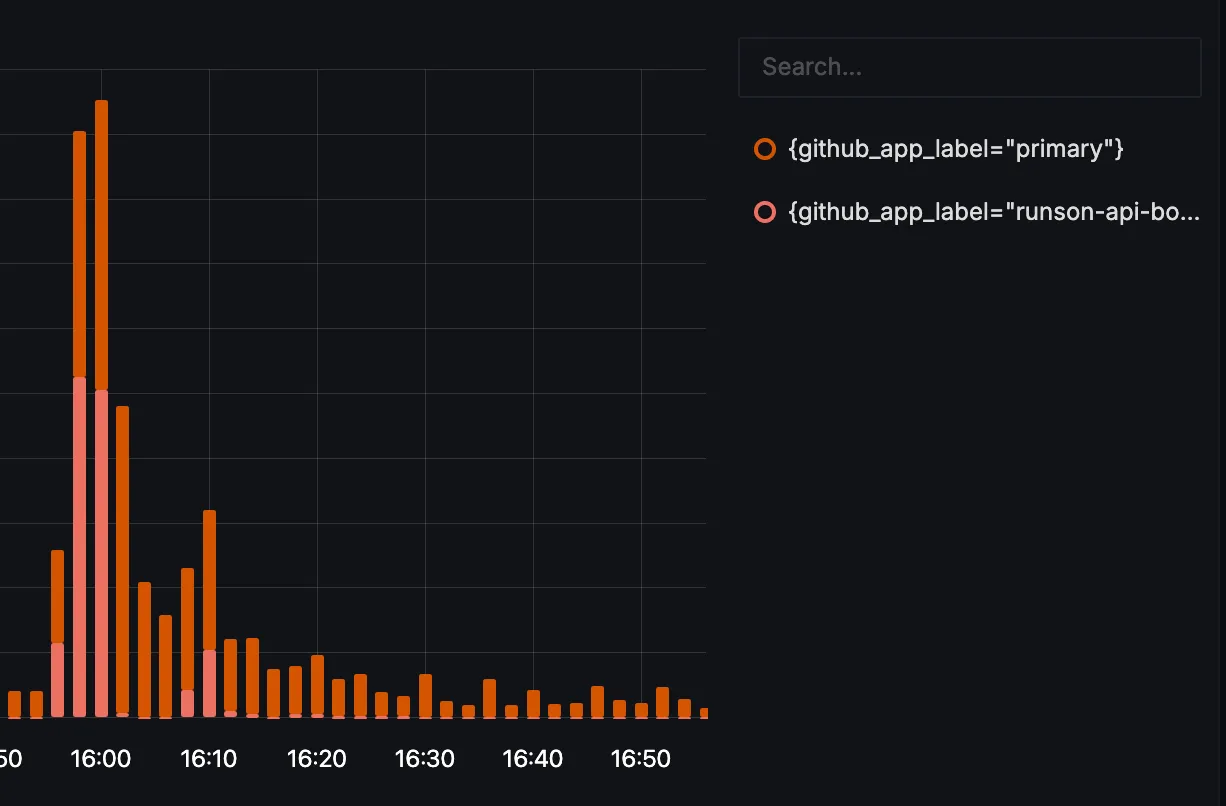
github_app_label dimension.Scaling boosts also go hand in hand with increasing the app size. The larger app presets let the control plane process more work in parallel; boost apps add the GitHub API headroom needed when JIT runner registration becomes the limiting factor.
Thanks to Nate from CFS for contributing the scaling boost work.
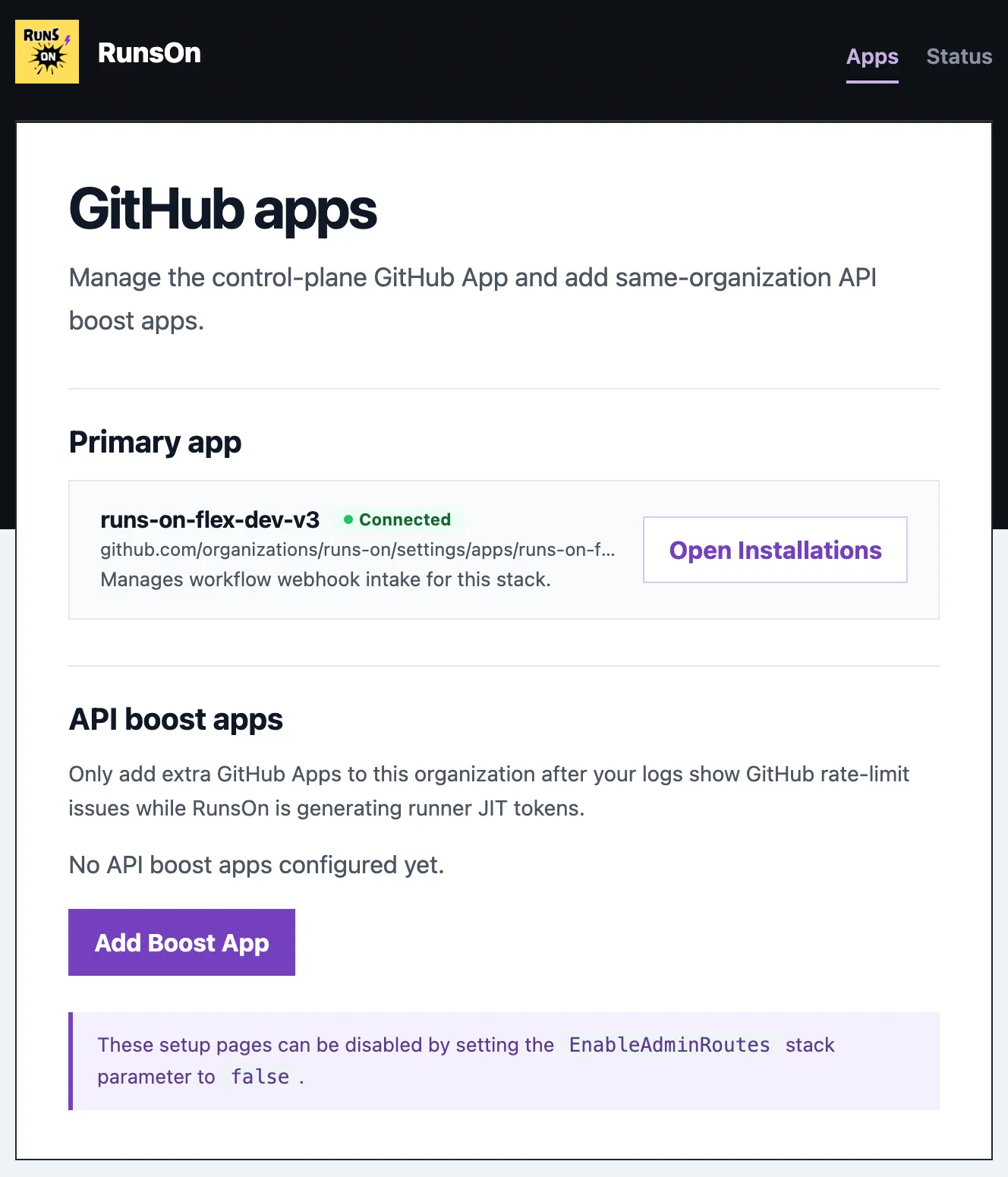
To activate it, open the setup page and click Add Boost App. Terraform users can also configure github_api_boost_apps if they want to manage boost apps declaratively.
New Flex control plane#
RunsOn v2 used App Runner for the control plane. It was a good fit for a long time, but AWS has moved App Runner to maintenance mode for new customers.
V3 replaces that path with Flex on ECS/Fargate.
Public ingress now goes through API Gateway and Lambda. The runtime service runs on ECS/Fargate. Jobs still run the same way they did before: fresh ephemeral EC2 runners in your AWS account, launched for a workflow job and terminated after completion. The migration guide includes control-plane cost estimates for common job volumes.
To use it, deploy a fresh v3 stack.
Simpler app sizing#
The old sizing model had too many knobs: CPU, memory, queue size, webhook workers, provisioning workers, registration workers, and related limiter assumptions.
V3 replaces that with one preset: AppSize in CloudFormation, or app_size in Terraform.
Choose small, medium, high, or xhigh, and RunsOn derives the runtime worker counts and launch-rate assumptions from that size. It is still important to match the preset to your AWS API quota headroom. A larger control plane can schedule more work, but your AWS account still needs the EC2 API quota to support that launch rate.
| App size | ECS CPU | ECS memory | Webhook workers | Provisioning workers | Registration workers |
|---|---|---|---|---|---|
small | 256 | 512 MiB | 4 | 4 | 2 |
medium | 256 | 512 MiB | 8 | 8 | 4 |
high | 512 | 1024 MiB | 20 | 20 | 10 |
xhigh | 512 | 1024 MiB | 40 | 40 | 20 |
Webhook workers control how much incoming GitHub work the control plane consumes in parallel. Provisioning workers control runner launch concurrency and the related EC2 limiter assumptions. Registration workers control the bounded GitHub JIT registration work.
Terraform users can still override individual concurrency values through extra_env_vars when they need a more specific shape: RUNS_ON_APP_WEBHOOK_CONCURRENCY, RUNS_ON_APP_PROVISIONING_CONCURRENCY, and RUNS_ON_APP_REGISTRATION_CONCURRENCY.
Safer ingress and admin access#
Setup, webhooks, and health checks need a public path in the default install. Public admin and setup routes do not need to stay open forever.
V3 adds a managed WAF option and admin route gating around the new API Gateway/Lambda ingress path. EnableWAF=true attaches the RunsOn-managed Web ACL. EnableAdminRoutes=false disables public setup and admin routes after setup is complete.
That gives the default CloudFormation path a better security posture without making the first install harder.
Faster runner lifecycle#
At high throughput, slow cleanup becomes visible.
V3 finalizes completed runner instances faster. The housekeeping loop also turns runs-on-terminate=true into actual EC2 termination sooner. When launches fail, counted retries now use staged backoff instead of hammering the same constrained capacity over and over.
There is nothing to enable. This is built into the v3 runtime.
Better job metrics#
V3 improves the inline job metrics summary.
Disk and network counters are now shown as per-interval rates instead of cumulative totals. That makes short spikes easier to see. Jobs without enough usable samples now report that clearly instead of silently skipping the metrics section.
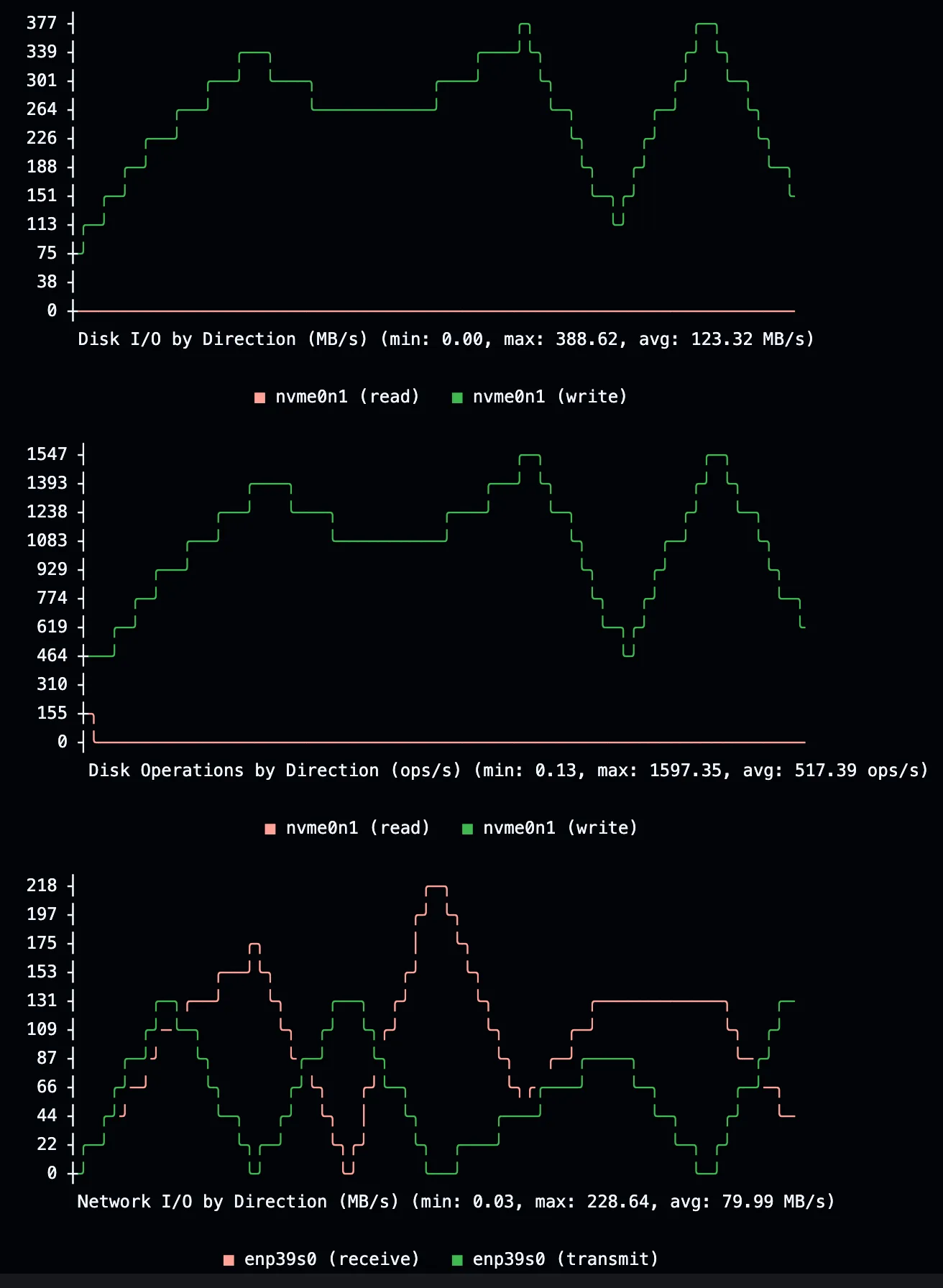
The inline metrics summary is enabled by default. Use extras=otel only when you want to ship runner metrics to a remote OTEL backend.
Bedrock-ready runners#
AI coding agents are starting to show up inside CI jobs. Some of them need AWS-native model access.
V3 adds optional Bedrock permissions for runner instances. When enabled, the runner instance profile can invoke Bedrock-compatible agents from the job environment. RunsOn does not install or configure an agent for you; it only gives the runner the AWS permission surface.
To activate it, set EnableBedrock in CloudFormation or enable_bedrock in Terraform. You still need to make sure the Bedrock model is enabled in your AWS account; see the Bedrock setup tip for that part.
test-bedrock-access:  permissions:    contents: read    pull-requests: write    issues: write  runs-on: runs-on=${{ github.run_id }}/runner=2cpu-linux-x64  timeout-minutes: 10  steps:    - uses: runs-on/action@v2    - uses: actions/checkout@v7      with:        fetch-depth: 2
    - name: OpenCode Bedrock test      uses: anomalyco/opencode/github@77fc88c8ade8e5a620ebbe1197f3a572d29ae91a      env:        GITHUB_TOKEN: ${{ secrets.GITHUB_TOKEN }}        AWS_PROFILE: runs-on      with:        model: amazon-bedrock/us.anthropic.claude-sonnet-4-6        use_github_token: true        share: false        prompt: |          This is a Bedrock-only end-to-end smoke test.          Use the configured Amazon Bedrock model and return one short sentence confirming the model responded.          Do not review code, modify files, create commits, create branches, open pull requests, or write code comments.          Do not post comments except for the action's own status comment.
AWS cost budget#
The old daily minutes alarm was specific to RunsOn. V3 moves the default budget control closer to the thing you actually pay: AWS spend.
AppBudgetDailyUsd in CloudFormation and app_budget_daily_usd in Terraform create an AWS daily cost budget filtered by the RunsOn cost-allocation tag.
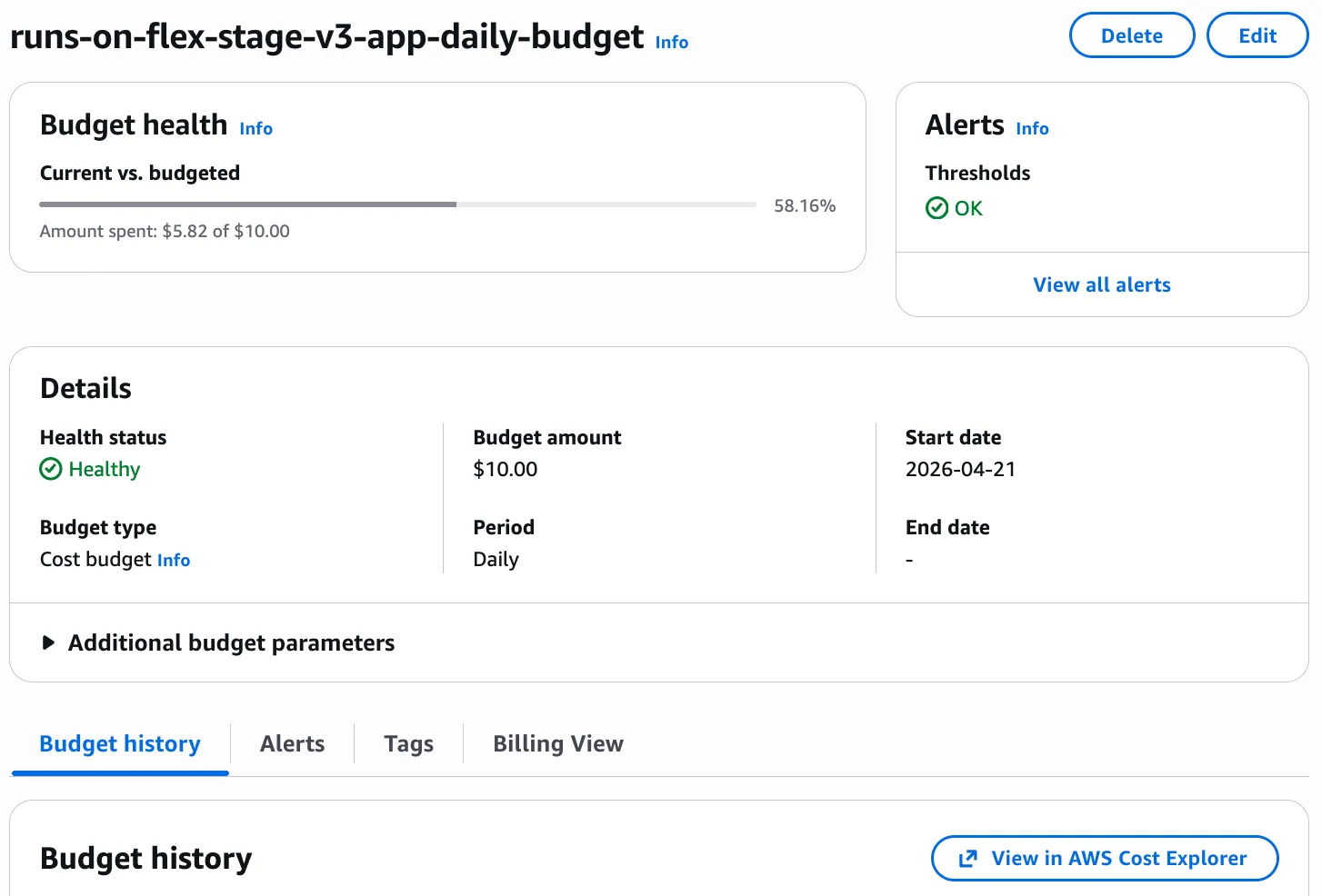
To use it, set the daily budget amount and make sure the cost-allocation tag is active in AWS Billing.
Migration note#
RunsOn v3 should be treated as a migration, not a routine stack update.
For most existing users, the clean path is to deploy a fresh v3 stack, register the new GitHub App, test representative workflows, and then move traffic over once the new stack behaves as expected.
If you are coming from v2, read the v3 migration guide before changing production.