Flex installation guide
RunsOn is the best way to run GitHub Actions in your own AWS infrastructure, and get 10x cheaper runners.
What changes in your workflows#
Once the stack is installed, you change one line per job. You swap the GitHub-hosted label for a RunsOn label:
runs-on: ubuntu-latestruns-on: runs-on=${{ github.run_id }}/runner=2cpu-linux-x64The label describes the runner, so each job can ask for a different one. The stack doesn’t need a config change or a redeploy:
jobs: lint: runs-on: runs-on=${{ github.run_id }}/runner=2cpu-linux-x64 test: runs-on: runs-on=${{ github.run_id }}/runner=16cpu-linux-x64/extras=s3-cache build-arm64: runs-on: runs-on=${{ github.run_id }}/cpu=8/family=c8g/image=ubuntu24-full-arm64/volume=200gbEach job gets its own ephemeral EC2 instance in your AWS account, which terminates when the job ends. See all job labels, or Flex vs Fleet if a platform team should own runner shapes instead.
Before you start#
The entire RunsOn stack can be installed in 10 minutes in your AWS account and requires:
- a license key (free for non-commercial use, or 15 days trial available).
- an AWS account: we recommend that you set up RunsOn in its own dedicated AWS sub-account, to further improve isolation of your workflows.
If at any point you are stuck, please reach out to me at ops@runs-on.com or book an onboarding call ↗.
CloudFormation#
1. Select your AWS region#
To get started, simply select one of the regions below. This will redirect you to the CloudFormation interface:
Launch the stack
one clickPick your AWS region: the console opens with the RunsOn template loaded.
Americas
Europe
Or, if you prefer creating the stack manually with CloudFormation, you can use the following template URL:
https://runs-on.s3.eu-west-1.amazonaws.com/cloudformation/template-v3.5.0.yaml2. Create the stack#
After you click on one of the regions above, you will end up on a screen with a few inputs fields:
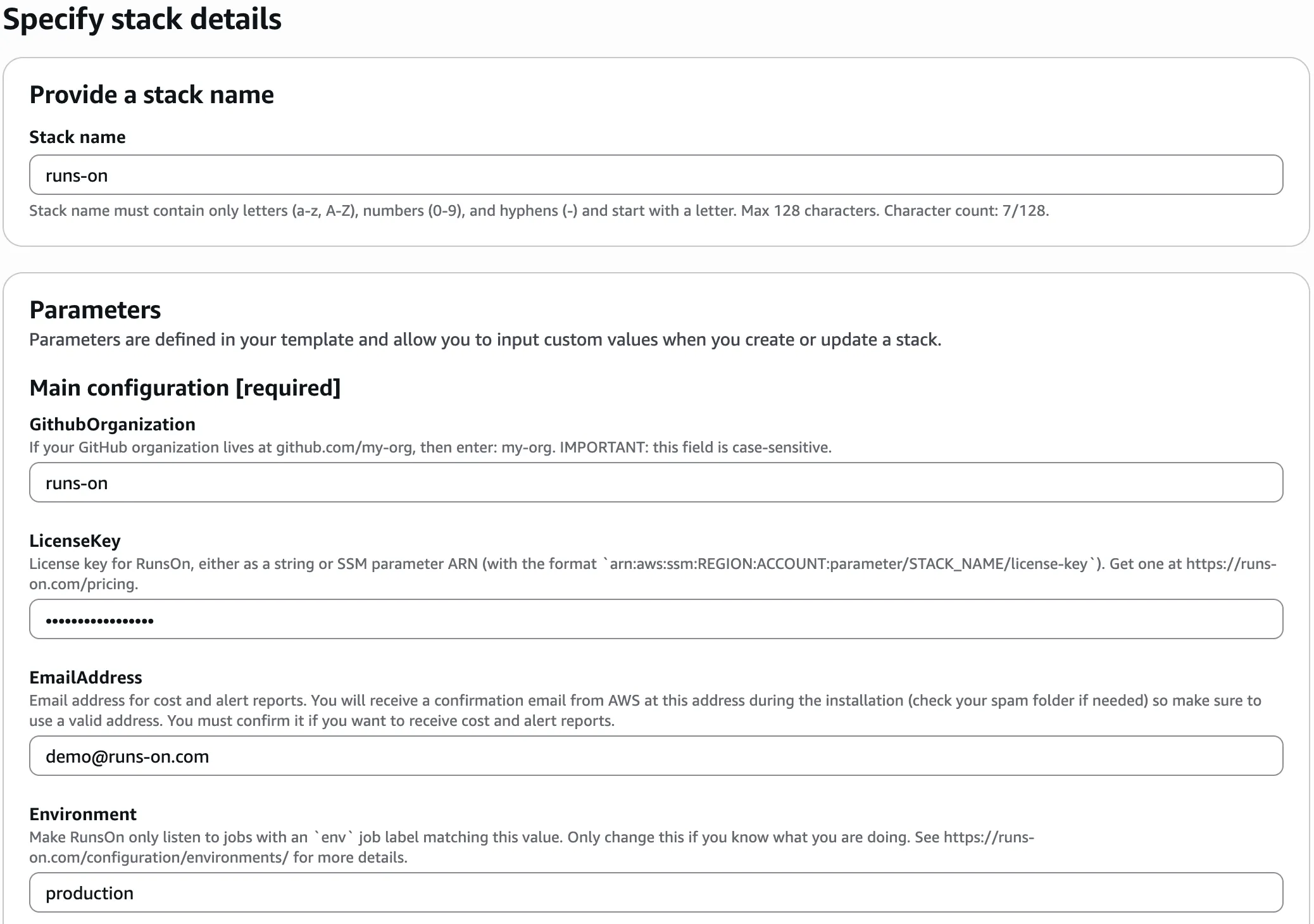
You must fill the fields under Main configuration [required]:
- the name of your GitHub organization or personal account where you want to install RunsOn (e.g.
my-org). - the license key for RunsOn, either as a plain text value or a reference to an SSM parameter. You can get one here, with a 15-day free trial.
- an email address where cost & alert reports will be sent.
- optionally, the RunsOn
Environmentname if you intentionally operate multiple environments.
Finally, acknowledge the CloudFormation capabilities and transforms, then continue to the review screen. Note that the stack will create a dedicated IAM role for the RunsOn service, with the most restricted set of permissions required.
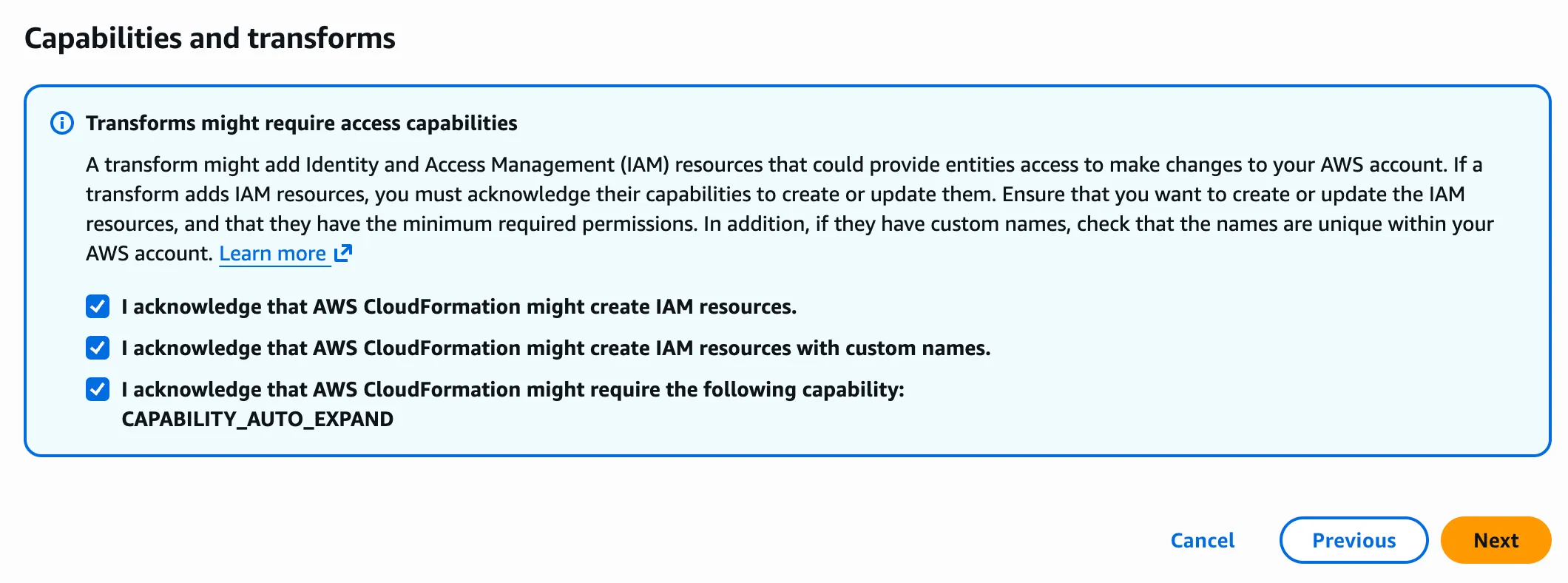
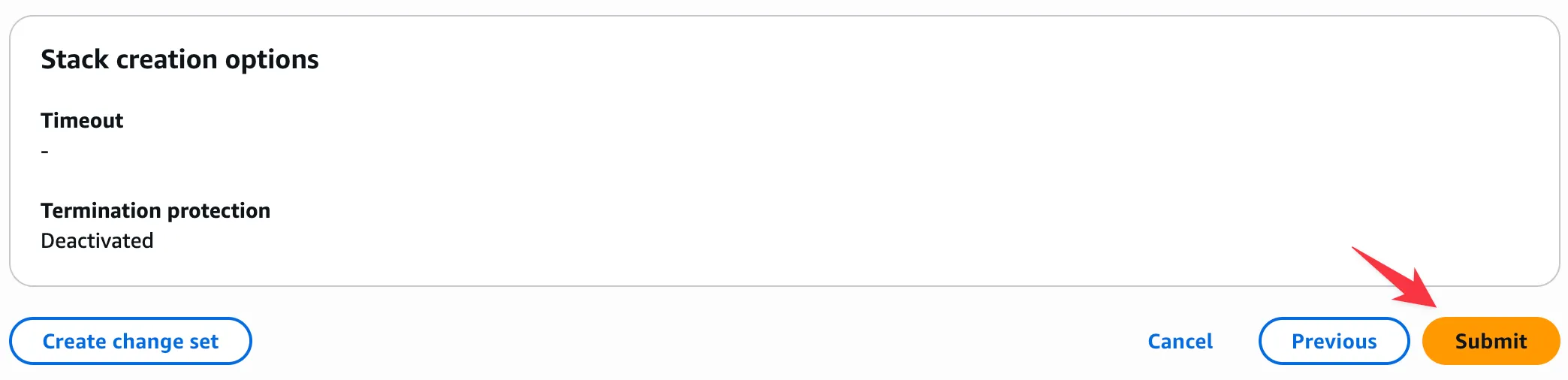
On the final review screen, click “Submit” to start creating the stack.
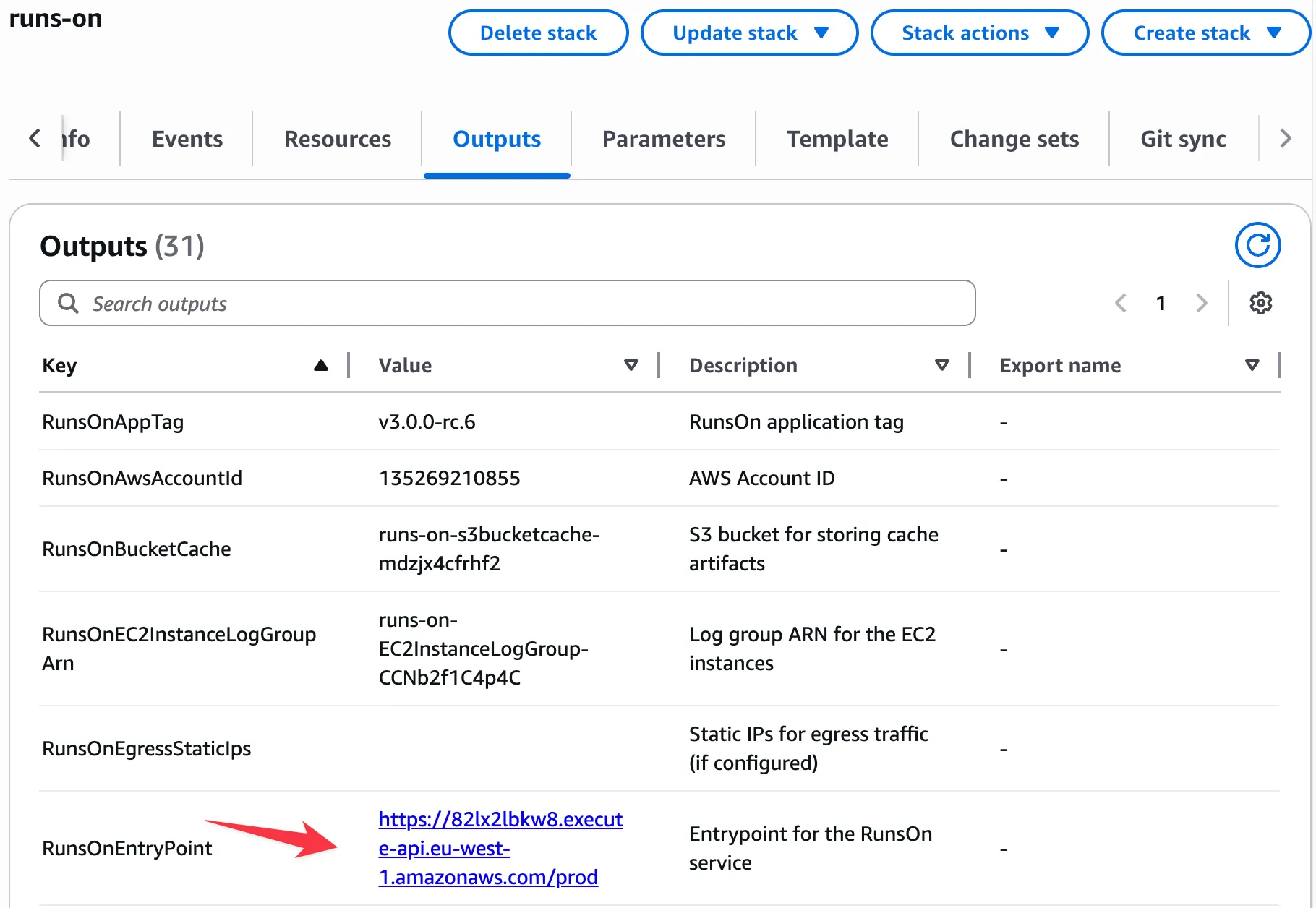
Once the stack creation is complete, the HTTPS URL to your RunsOn instance will be displayed in the CloudFormation stack Outputs, under the RunsOnEntryPoint output parameter:
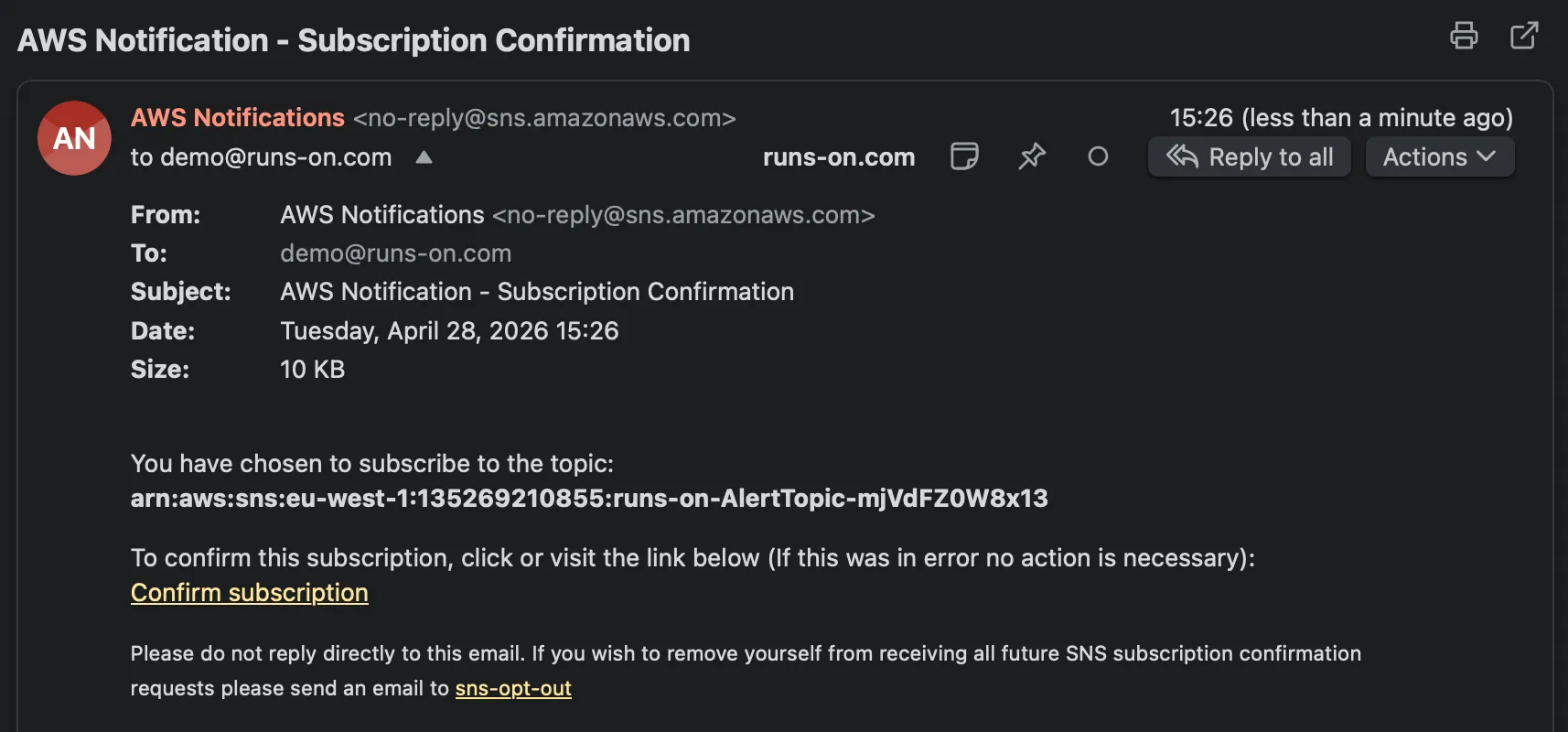
During the stack creation, you will receive an email to confirm your subscription to the cost & alert SNS topic. Confirm it: in v3 this email is how cost reports and alerts reach you.
If this step goes wrong 1 known issue
Stack creation fails on RunsOnWorkerCluster with Unable to assume the service linked role. Please verify that the ECS service linked role exists. Create the ECS service-linked role once in the target AWS account, then retry the stack creation:
aws iam create-service-linked-role --aws-service-name ecs.amazonaws.com3. Register the GitHub app#
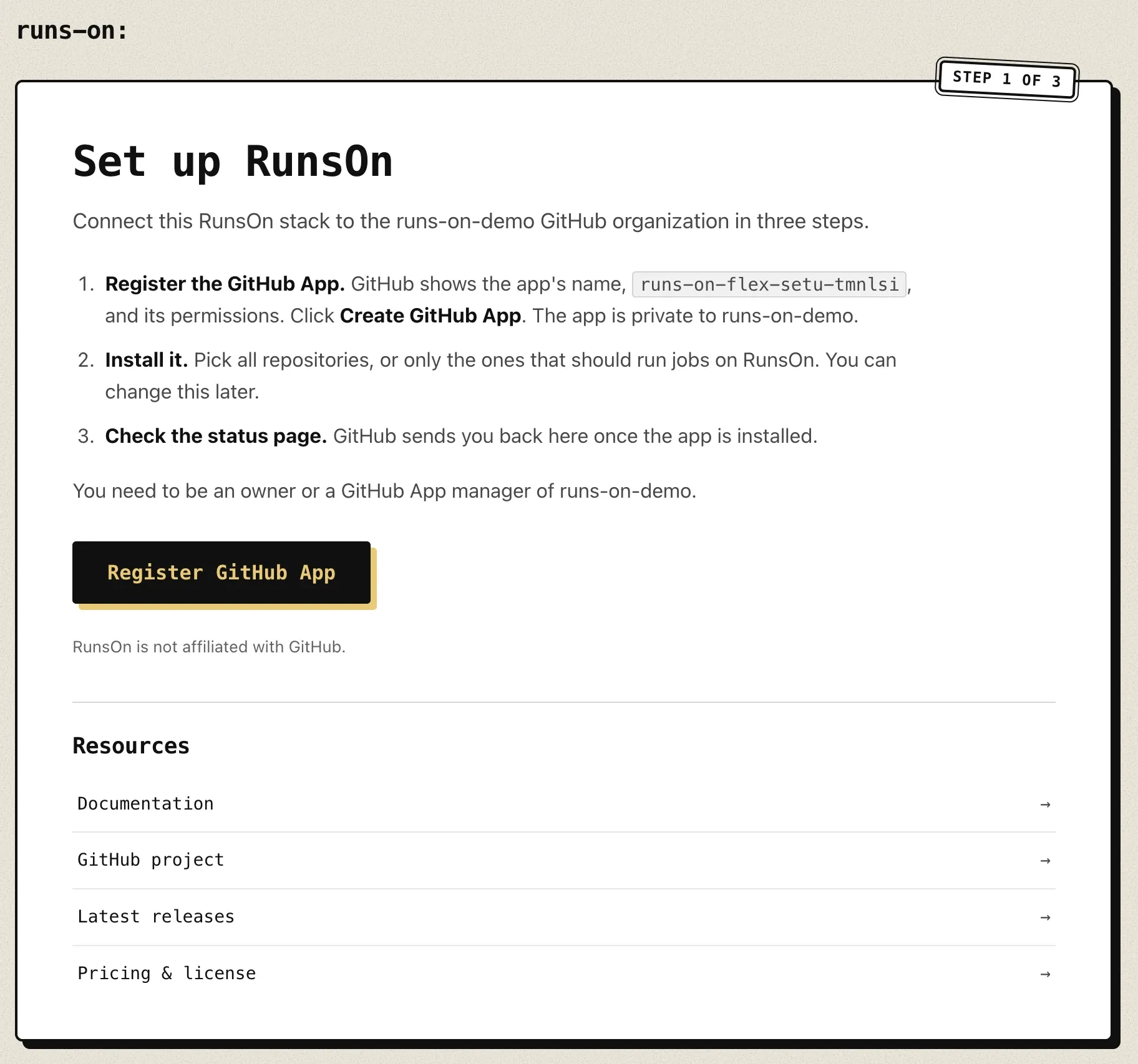
From the CloudFormation stack Outputs, open the RunsOnEntryPoint URL. The setup page lists what comes next; click Register GitHub App. You need to be an owner or a GitHub App manager of the organization.
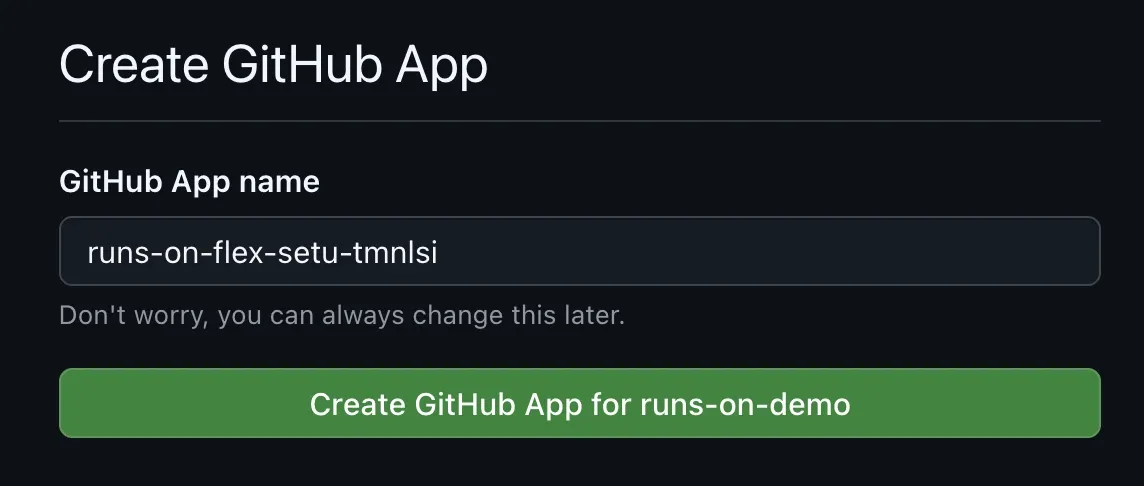
GitHub shows the app’s name and permissions. RunsOn proposes a unique name, such as runs-on-flex-prod-tmnicf4c (the start of the stack environment, a timestamp and two random characters), so you can keep it. Click Create GitHub App for your-org. The app is private to your organization, and its credentials stay in your AWS account.
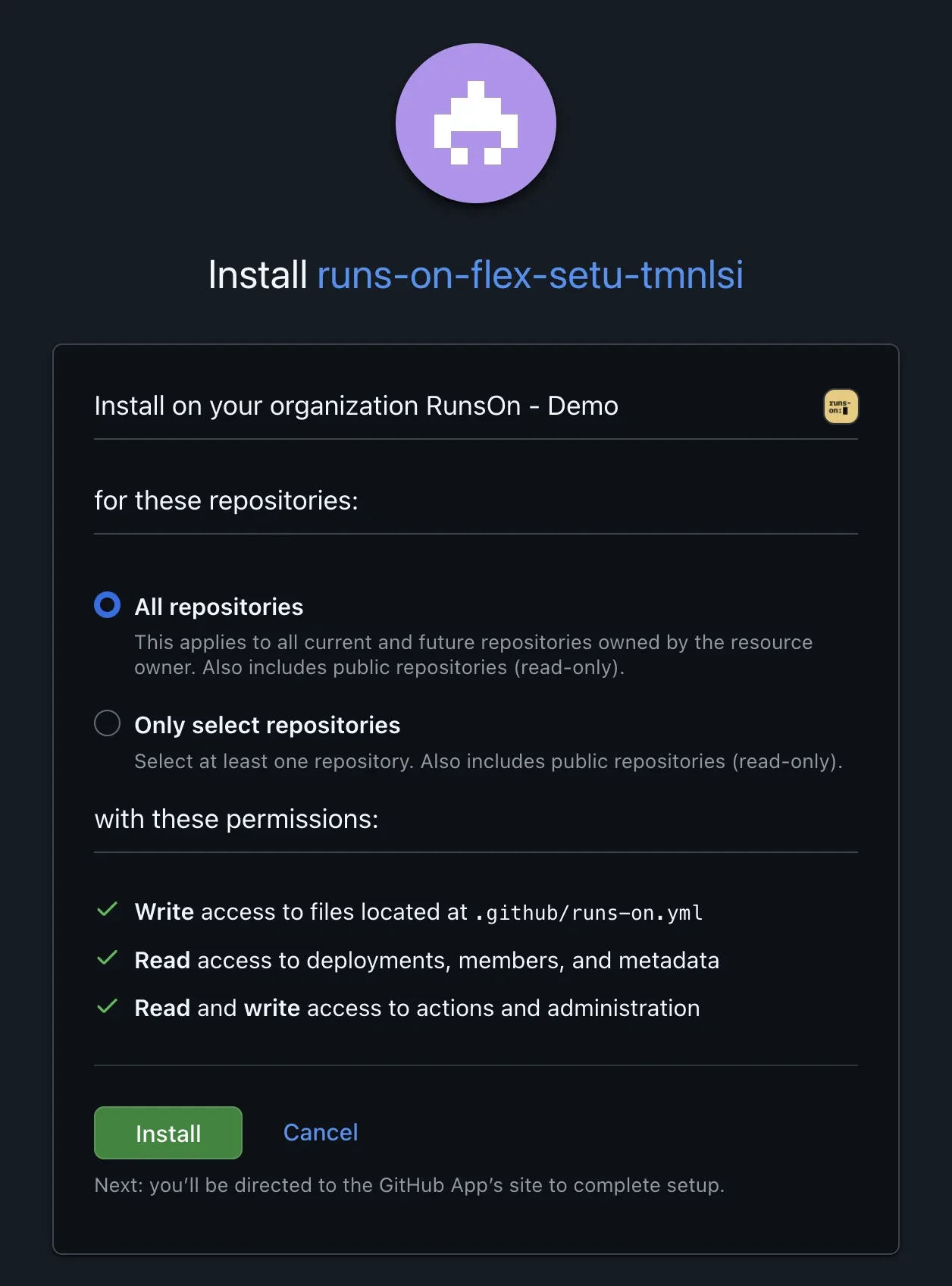
Then pick all repositories, or only the ones that should run jobs on RunsOn, and click Install. You can change this later.
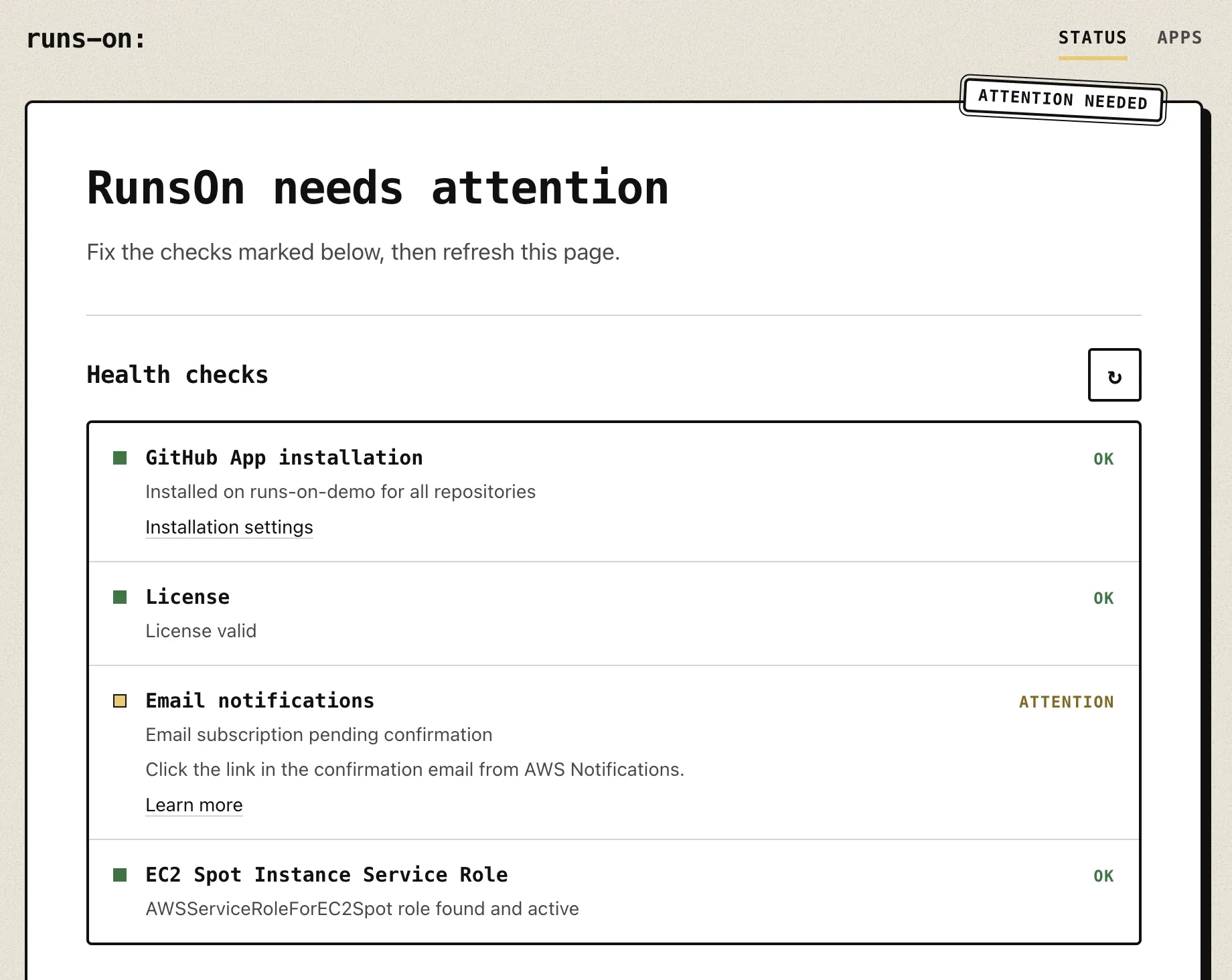
GitHub sends you back to the RunsOn status page. It checks the GitHub App installation, GitHub webhook deliveries, the control plane, the webhook event queue, the license, email notifications, the EC2 Spot service role and your EC2 vCPU quotas. A check under Needs action, marked attention or action needed, says what to do, such as confirming the AWS notification email; fix it, then refresh the page. If you closed the GitHub tab before installing the app, open the entrypoint URL again: the status page shows an Install on GitHub button.
If this step goes wrong 1 known issue
GitHub shows a 500 Server Error after “Register GitHub App”. Log into GitHub in this browser and try again: GitHub returns a generic 500 on the app manifest page (github.com/settings/apps/manifest) when you are not signed in.
4. Update your workflows#
It’s now time to update your workflows to select one of the RunsOn runner types! For instance:
runs-on: ubuntu-latestruns-on: runs-on=${{ github.run_id }}/runner=2cpu-linux-x64If this step goes wrong 1 known issue
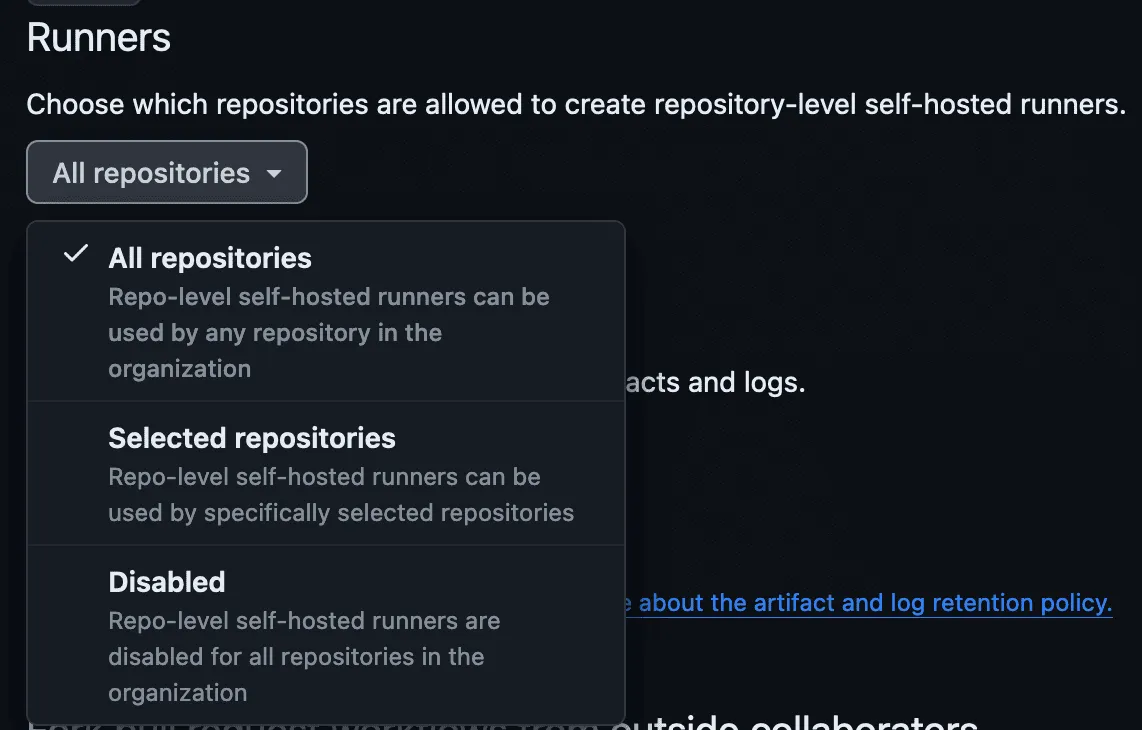
Jobs stay queued and no runner appears. Allow repository-level self-hosted runners in your GitHub organization’s General Actions settings: https://github.com/organizations/<YOUR_ORG>/settings/actions.
Terraform / OpenTofu#
RunsOn provides an official Terraform module for deploying and managing your RunsOn infrastructure as code.
For v3, Terraform / OpenTofu is also the recommended path whenever you need capabilities that are no longer exposed by the built-in CloudFormation template, such as reusing an existing VPC or IAM permission boundaries.
Official Terraform module#
The module is available on both registries:
The recommended v3 approach is to use the explicit Flex submodule:
module "runs_on_flex" {  source  = "runs-on/runs-on/aws//modules/flex"  version = "v3.5.0"
  github_organization = "my-org"  license_key         = "your-license-key"  email               = "alerts@example.com"  app_size            = "small"  app_budget_daily_usd = 10
  vpc_id             = "vpc-xxxxxxxx"  public_subnet_ids  = ["subnet-pub1", "subnet-pub2"]  private_subnet_ids = ["subnet-priv1", "subnet-priv2"]}
output "runs_on_ingress_url" {  description = "RunsOn setup and webhook ingress URL"  value       = module.runs_on_flex.ingress.url}
output "runs_on_getting_started" {  description = "RunsOn post-apply setup instructions"  value       = module.runs_on_flex.stack.getting_started}
Every input is listed in Flex Terraform inputs. For examples, see the official module on GitHub ↗.
The Terraform module should be used in the following cases:
- Your organization already uses Terraform to manage AWS infrastructure, and you want to use the same tool to manage your RunsOn stack.
- You want full control over how the networking stack is configured, and/or want to reuse an existing VPC.
- You need IAM permission boundaries.
Resources#
- All stack configuration parameters.
- Migrate from v2 to v3.
- All job labels available for your workflows.
- The documentation for Linux runners.
- Troubleshooting guide.
- Cost control guide.
- CLI to manage and troubleshoot your RunsOn stack.
- Instance finder ↗ - quickly find AWS instances matching your CPU, RAM, and architecture requirements.