GPU runners
NVIDIA and AMD GPU runners on EC2 for ML and graphics workloads, from Flex labels or Fleet runner definitions.
RunsOn gives you the full range of GPU EC2 instances — NVIDIA (T4, A10G, L4, L40S, M60, V100, A100, H100, H200) and AMD (Radeon Pro V520) — for much cheaper than the official GitHub Actions GPU runners (typically ~10x cheaper on spot; see pricing). Available on all GitHub plans, including free.
Flex
Select a GPU-capable EC2 family and a GPU image in the job label:
jobs: gpu: runs-on: runs-on=${{ github.run_id }}/family=g5.xlarge/image=ubuntu24-gpu-x64Fleet
Publish a GPU runner fleet in Terraform and target the fleet label:
runners = {  gpu = {    family = ["g5.xlarge"]    image  = "ubuntu24-gpu-x64"  }}
fleets = { gpu = { runner = "gpu" }}jobs: gpu: runs-on: runs-on/fleet=gpu/env=productionGPU images#
Since v2.6.5, RunsOn provides official gpu images pre-configured with the latest NVIDIA driver, CUDA toolkit, and container toolkit, on top of the standard full image software. Recommended for most use cases.
| Image | Architecture | Description |
|---|---|---|
ubuntu22-gpu-x64 | x64 | Ubuntu 22.04 + NVIDIA driver, CUDA toolkit, container toolkit. |
ubuntu24-gpu-x64 | x64 | Ubuntu 24.04 + NVIDIA driver, CUDA toolkit, container toolkit. |
ubuntu24-gpu-arm64 | arm64 | For NVIDIA GPU runners on Graviton instances such as g5g + NVIDIA driver, CUDA toolkit, container toolkit. |
Workflow example#
jobs: default: runs-on: "runs-on=${{ github.run_id }}/family=g4dn.xlarge/image=ubuntu24-gpu-x64" steps: - uses: runs-on/action@v2 - name: Display NVIDIA SMI details run: | nvidia-smi nvidia-smi -L nvidia-smi -q -d Memory - name: Ensure Docker is available with GPU support run: docker run --rm --runtime=nvidia --gpus all ubuntu nvidia-smi - name: Execute your machine learning script run: echo "Running ML script..."For ARM64 GPU workloads, use ubuntu24-gpu-arm64 with a compatible family such as g5g:
jobs: arm64-gpu: runs-on: "runs-on=${{ github.run_id }}/family=g5g.xlarge/image=ubuntu24-gpu-arm64" steps: - uses: runs-on/action@v2 - name: Display NVIDIA SMI details run: | nvidia-smi uname -mDeep Learning AMIs#
Combined with custom images, you can use AWS’s official Deep Learning AMIs ↗ (DLAMI). Define a custom image referencing the latest DLAMI and a custom runner referencing that image and your GPU family — see Custom runners & images for the full setup. Note that DLAMI-based runners take longer to start because the base image is very large; a streamlined custom image built with Packer boots faster.
Quotas#
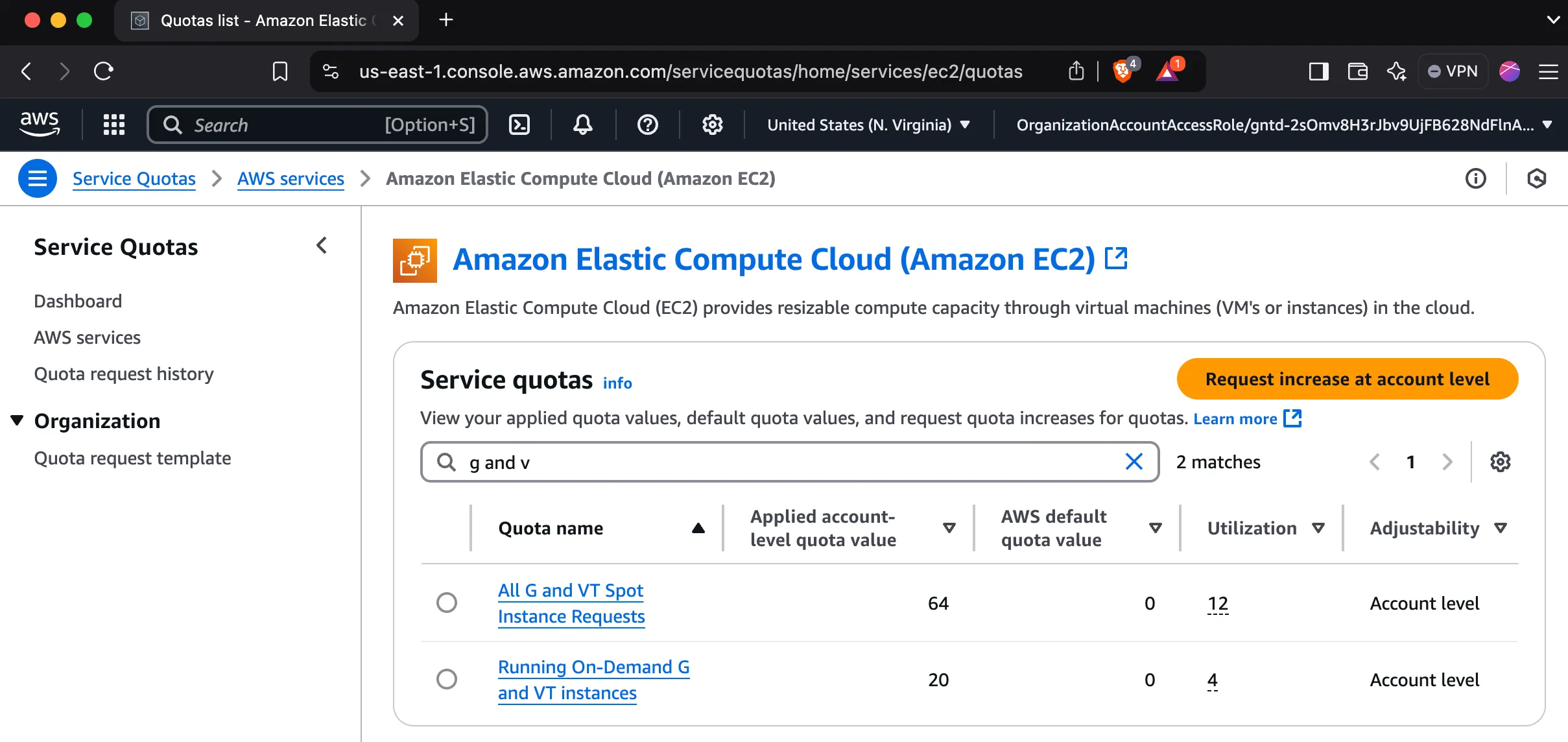
New AWS accounts have GPU instance quotas set to zero by default, so you will likely need to request an increase.
How to request an increase
- Search for “Quotas” in the AWS console.
- Click “Request quota increase”.
- Select “EC2” as the service.
- Select “G” as the instance type.
- Fill in the form and submit.
- Repeat for both spot and on-demand quotas.