Linux runners
Native x64 and arm64 Linux runners on any EC2 instance, from Flex labels or Fleet runner definitions.
RunsOn supports both native x64 and arm64 Linux runners.
Flex
Pick a predefined runner from the runs-on label — 2cpu-linux-x64 for x64, 2cpu-linux-arm64 for arm64:
jobs: build: runs-on: runs-on=${{ github.run_id }}/runner=2cpu-linux-x64 steps: - uses: runs-on/action@v2 - run: echo "Hello from x64!"jobs: build: runs-on: runs-on=${{ github.run_id }}/runner=2cpu-linux-arm64 steps: - uses: runs-on/action@v2 - run: echo "Hello from arm64!"Most users go beyond the predefined names and tailor CPU, memory, family, and volume with job labels or custom runners.
Fleet
Define the runner shape in Terraform, publish it as a fleet, then target the fleet from workflow YAML:
runners = {  linux-small = {    family = ["c8i.large"]    image  = "ubuntu24-full-x64"  }}
fleets = { linux-small = { runner = "linux-small" }}jobs: build: runs-on: runs-on/fleet=linux-small/env=productionDefault images#
Opt into a specific image with the image label. When you set image, make sure your family uses instance types matching the image architecture (e.g. family=c8g+m8g for arm64).
| Image | Architecture | Description |
|---|---|---|
ubuntu22-full-x64 | x64 | Compatible with the official Ubuntu 22.04 GitHub runner image. |
ubuntu24-full-x64 | x64 | Compatible with the official Ubuntu 24.04 GitHub runner image. |
ubuntu26-full-x64 | x64 | Compatible with the official Ubuntu 26.04 GitHub runner image. |
ubuntu22-full-arm64 | arm64 | Compatible with the official Ubuntu 22.04 GitHub runner image. |
ubuntu24-full-arm64 | arm64 | Compatible with the official Ubuntu 24.04 GitHub runner image. |
ubuntu26-full-arm64 | arm64 | Compatible with the official Ubuntu 26.04 GitHub runner image. |
Examples#
Disable spot pricing for critical jobs:
jobs: build: runs-on: runs-on=${{ github.run_id }}/runner=2cpu-linux-x64/spot=falseOnly allow 4-CPU instances from compute-optimized families:
jobs: build: runs-on: runs-on=${{ github.run_id }}/runner=4cpu-linux-x64/family=c8Fully custom definition — launched in a private subnet with a static egress IP:
jobs: build: runs-on: runs-on=${{ github.run_id }}/ram=8/family=m8+c8+r8/image=ubuntu24-full-x64/spot=false/ssh=false/private=trueNeed help choosing? Use the instance finder ↗ to match AWS instances to your CPU, RAM, and architecture requirements.
Quotas#
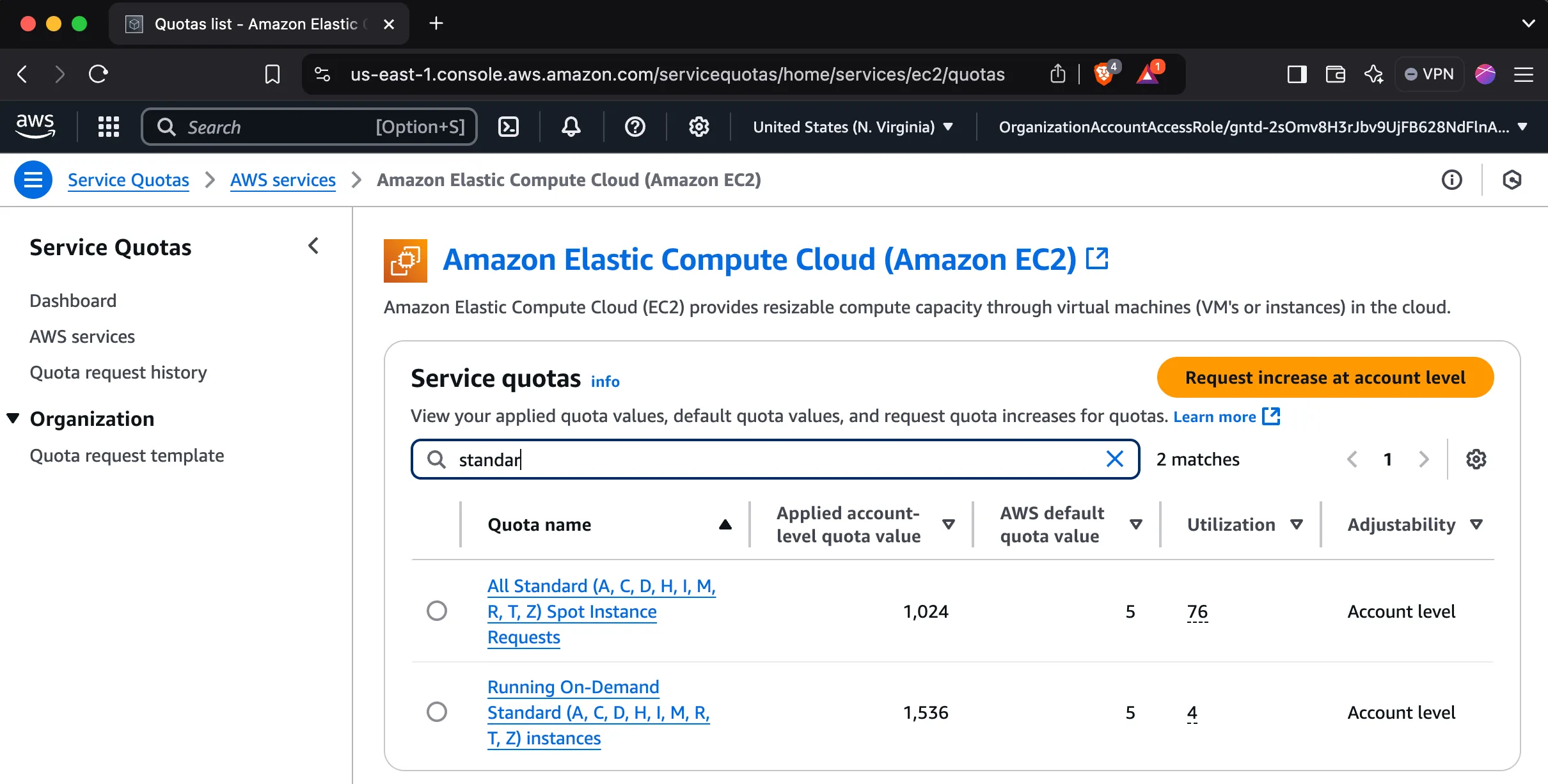
New AWS accounts have low default quotas for standard instances, so you may need an increase to launch many jobs.
How to request an increase
- Search for “Quotas” in the AWS console.
- Click “Request quota increase”.
- Select “EC2” as the service.
- Select the standard instance type.
- Fill in the form and submit (you request vCPUs, not instance count).
- Repeat for both spot and on-demand quotas.